Colloquial Logo

Changelog — Enhancement

Colloquial is always getting better — here's how.

by Chris Haskett
Updates

Recent quality-of-life improvements

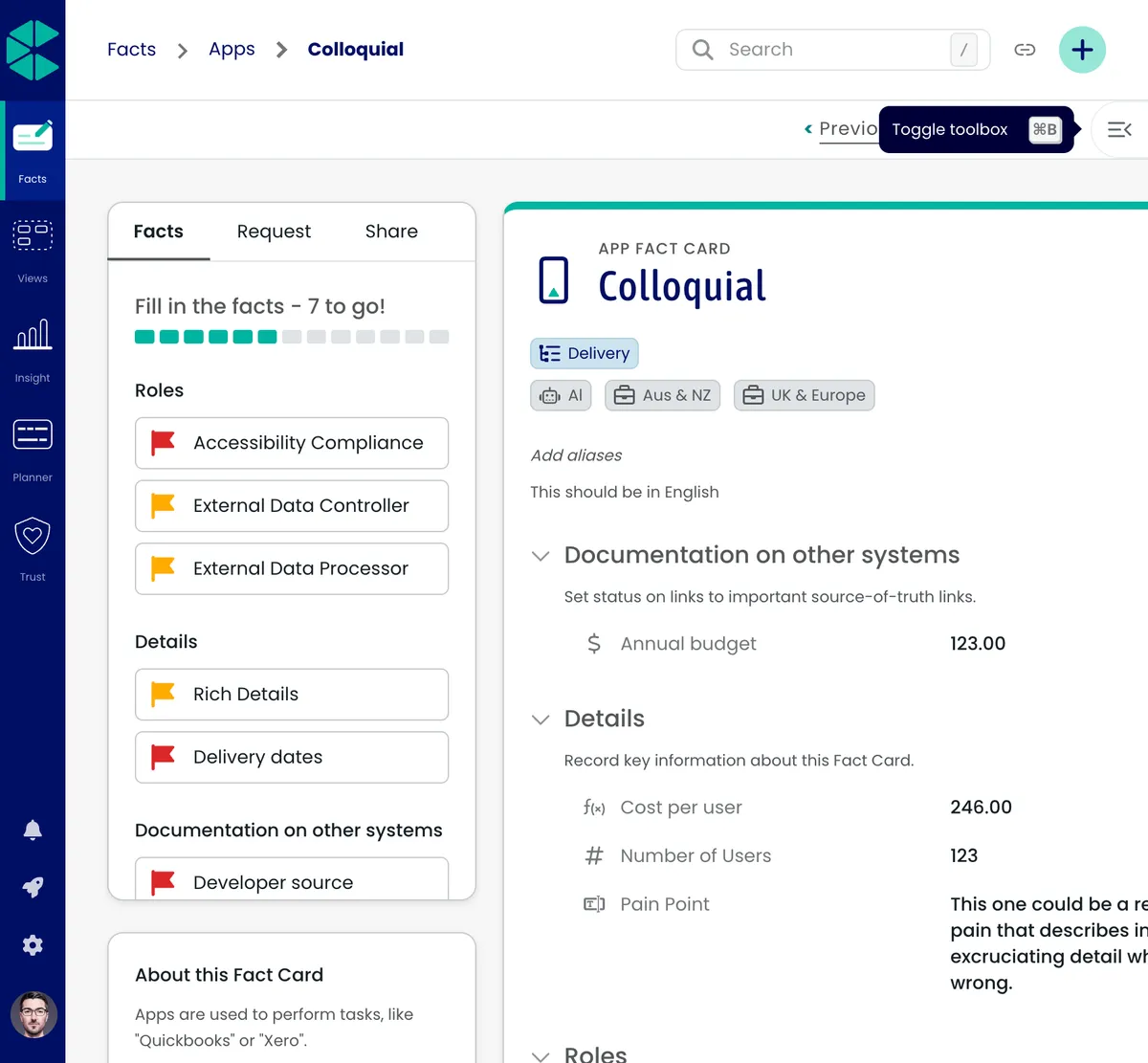
  • Keyboard shortcut to toggle the toolbox
  • Clearer button and interaction feedback in places you use often

Alongside larger releases, we’ve shipped a bundle of smaller improvements that add up: faster access to tools you use repeatedly, tighter feedback when you click, and touch-ups to previews and stepped flows.

  • Toggle the toolbox with a dedicated shortcut (see Keyboard shortcuts for the current binding)

  • Polished button interactions where micro-feedback matters

  • Incremental improvements to previews and multistep experiences


by Chris Haskett
Updates

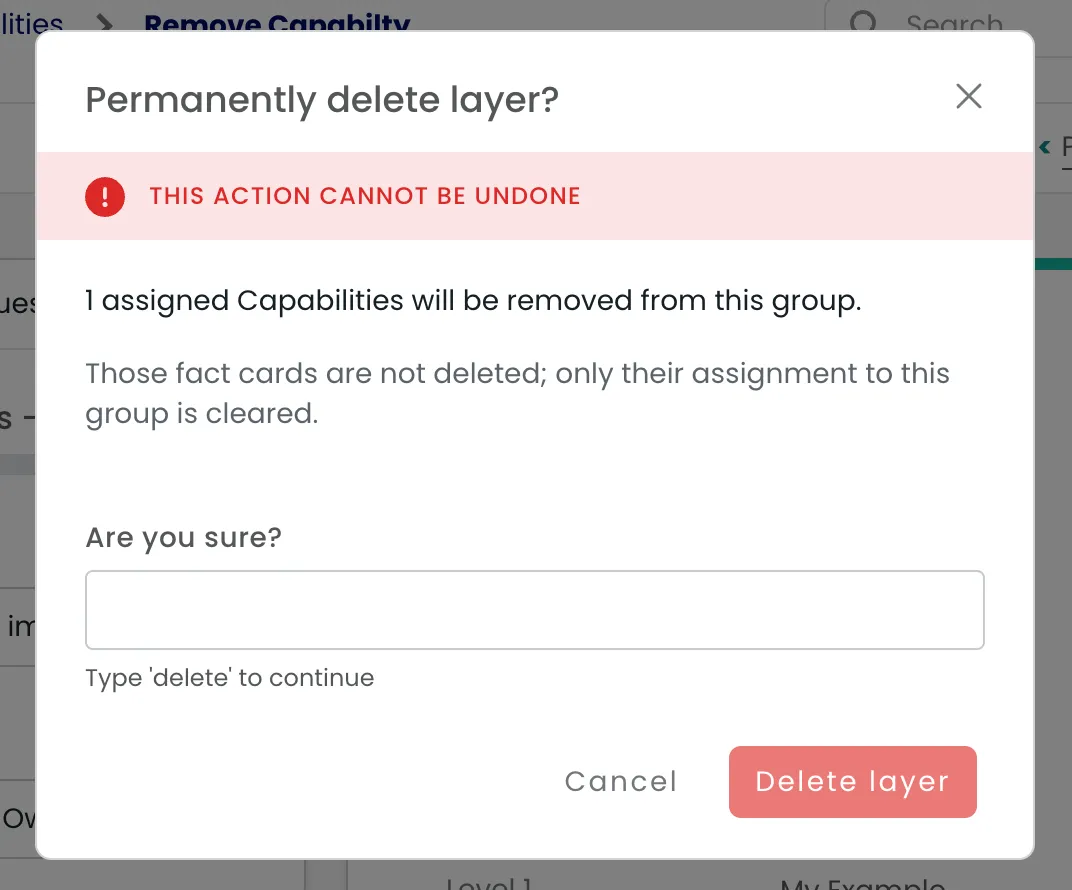
Clearer warnings when deleting a group

  • Safer trust story for anyone cleaning up group structure

Removing a group is a bigger deal than it looks, so we spell it out: the dialog warns you clearly, and fact cards are unlinked as part of the delete so relationships stay consistent.

Illustration in article content
  • Stronger warning copy before a group is removed

  • Automatic unlinking of fact cards from the group being deleted

  • Fewer orphaned or confusing group memberships after cleanup


by Chris Haskett
Updates

Topic relations in Facts table

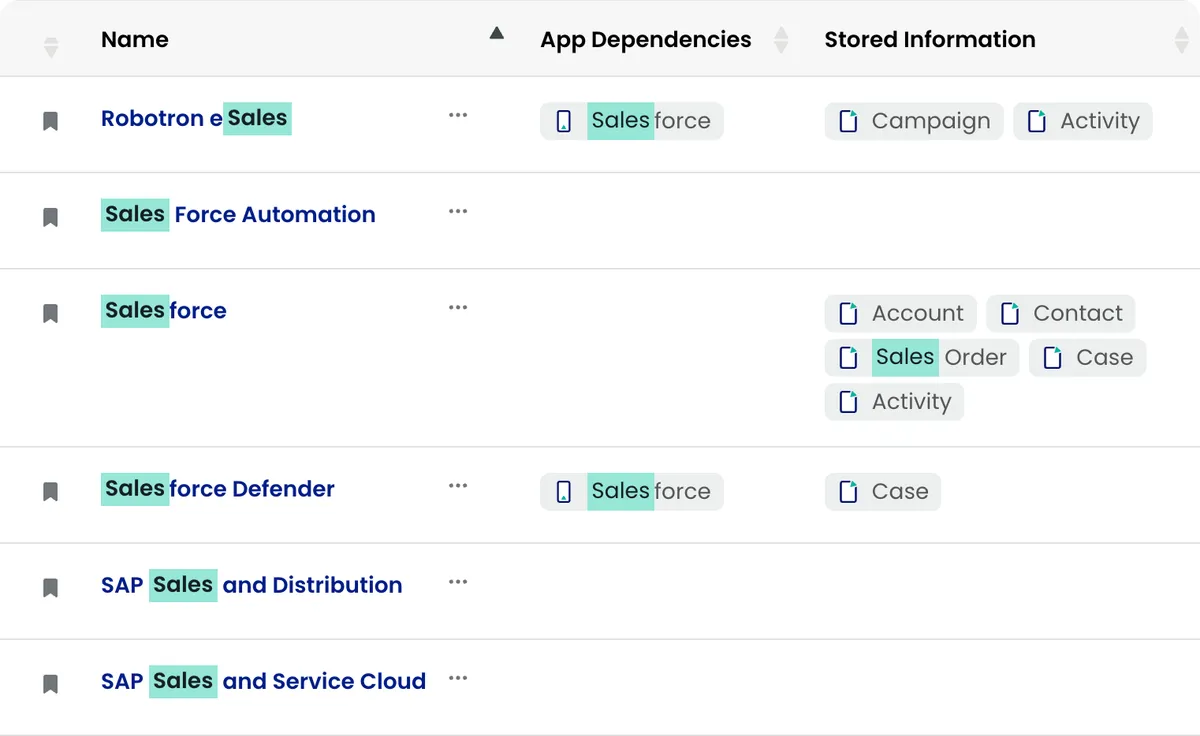
Relation types (e.g. dependencies, supports, stores) are now available as columns in the Facts table.

Illustration in article content
  • Added relation type columns to the Facts bootstrap table

  • Columns are hidden by default — toggle visibility via the column dropdown

  • Only relations for enabled fact card types in your workspace are shown


by Chris Haskett
Updates

View panels: faster loading, sharing, and safer layout

  • Lazy-loaded panels so views open faster
  • Archive or delete panels from the menu; mapping overlay when placing cards
  • Resize and layout fixes for more predictable panels

Views feel snappier and easier to share: panels load when you need them, presets can be captured as short links, and day-to-day management (archive, delete, mapping topics into a panel) is more explicit.

  • View panels use lazy Turbo loading to defer work until a panel is shown

  • Table presets can expose a short code for shareable snapshot-style links

  • Archive or remove panels from the dropdown; mapping topic cards shows a dedicated overlay

  • Sizing, shadows, and resize behaviour refinements for steadier layouts


by Chris Haskett
Updates

Edit facts inline on the fact card—and in group drawers

  • Inline editing on the fact card page and drawer for faster updates
  • Supports inline edits for name, aliases, and definition

You can make quick corrections where you already are: on the fact card itself, and—where enabled—for groups straight from the drawer.

Illustration in article content
  • Fact card page supports inline editing for a smoother update loop

  • Group drawers allow inline changes to name, aliases, and definition (subject to LaunchDarkly rollout for your workspace)

  • Less context switching between read and edit modes for everyday tweaks


by Chris Haskett
Updates

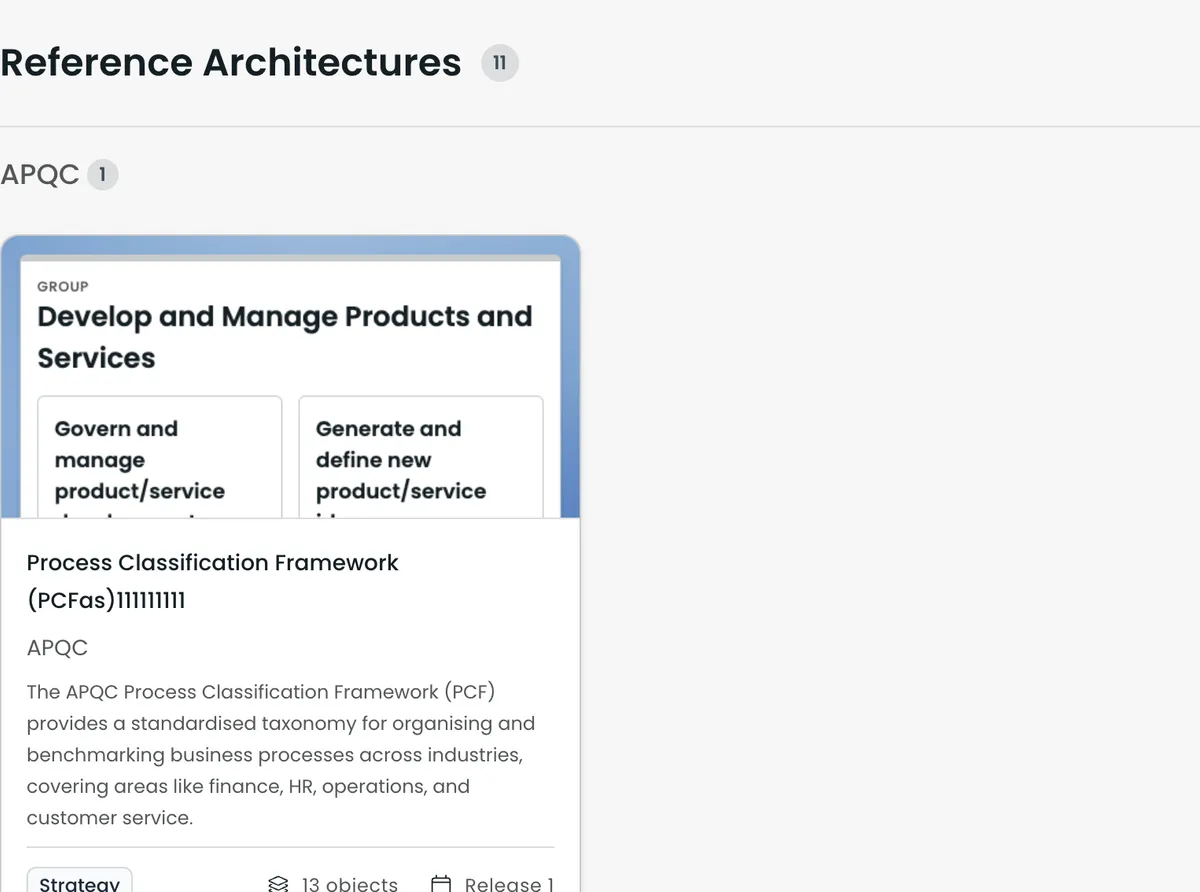
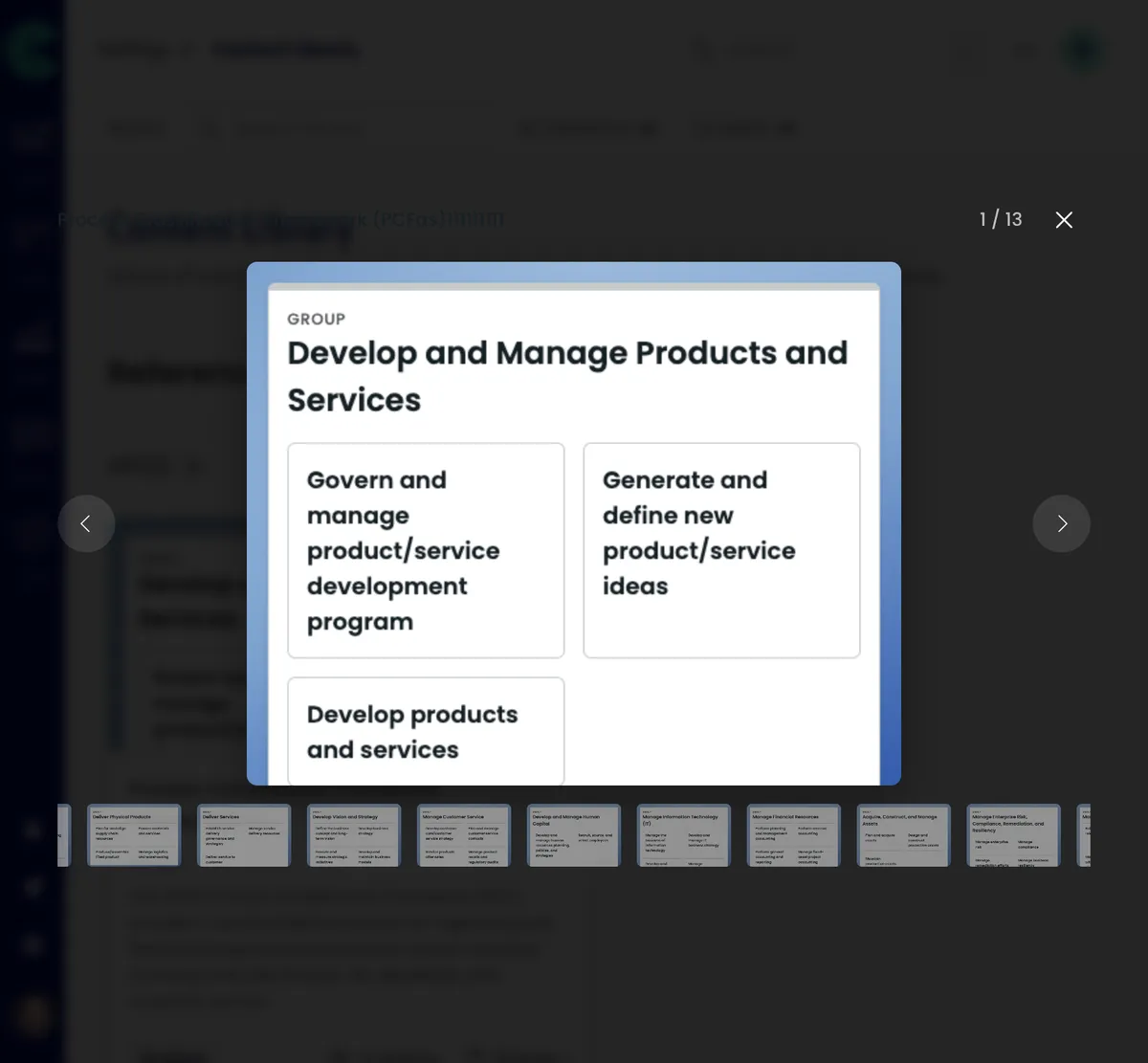
Content Library: lightbox and clearer previews

  • Lightbox experience for reviewing library content
  • Stroger template card previews and layout
  • Incremental UX and styling improvements throughout the library

The Content Library is easier to scan and compare: open items in a lightbox, see cleaner previews on cards, and benefit from a round of layout and interaction polish.

Illustration in article contentIllustration in article content

by Chris Haskett
Updates

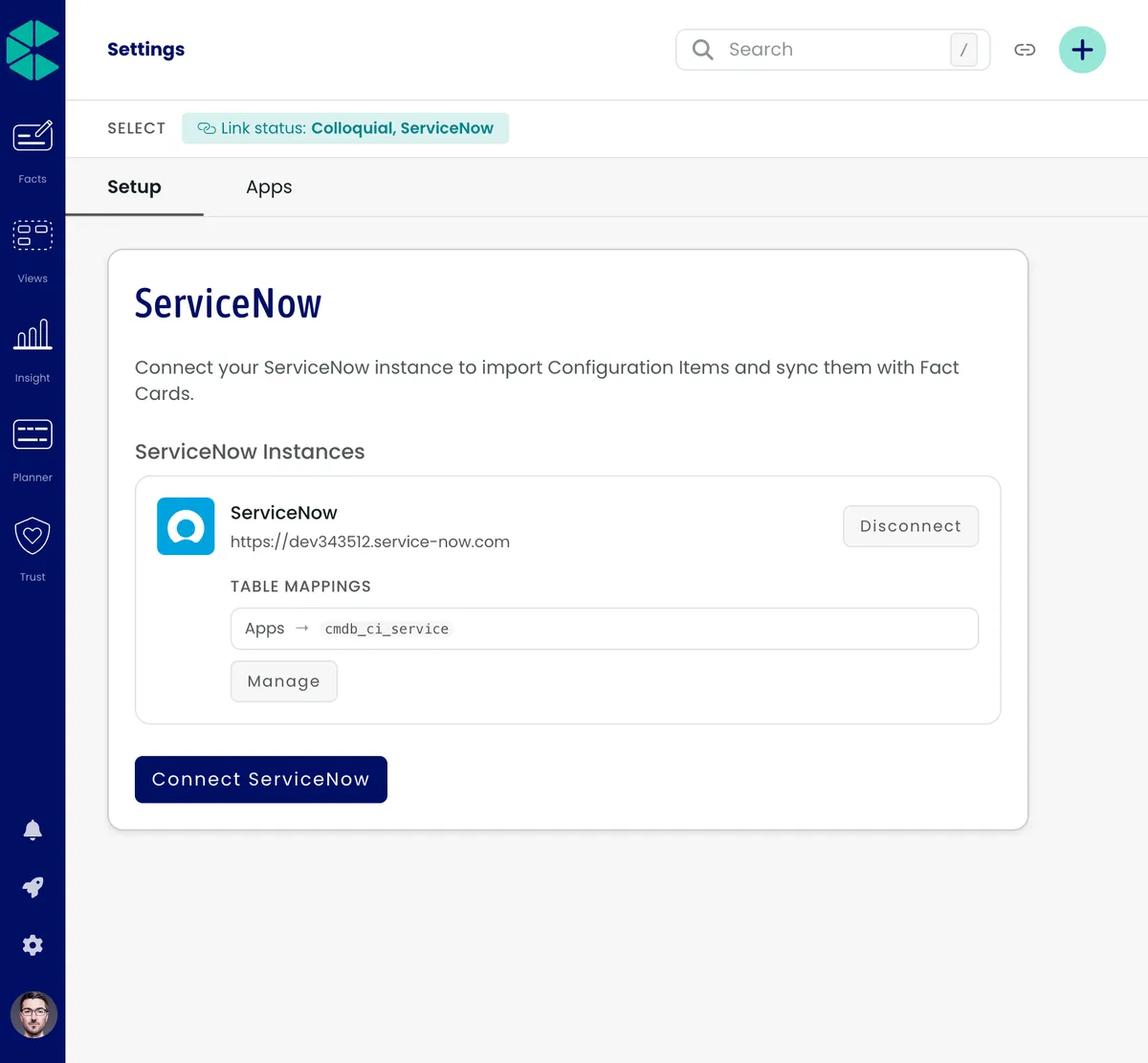
ServiceNow: external facts and field mapping

  • ServiceNow template group and external template type for integrated content
  • Field and attribute mapping with sync frequency and status in the integration summary
  • External facts surfaced in the topic drawer and on the fact card, with a more dynamic fact card layout

You can bring ServiceNow data into Colloquial with clearer mapping controls and a more predictable experience when fact cards combine internal and external sources.

Illustration in article content
  • Template group — Organise ServiceNow-backed templates alongside your existing library.

  • Mapping and sync — Configure field and attribute mappings, set sync frequency, and see sync state in the integration summary so you know when data was last refreshed.

  • Where facts appear — External facts show in the topic drawer and on the fact card, so the same relationship context is visible wherever you’re working.

  • Licensing — If you’d like to discuss licensing for the ServiceNow integration, please reach out to us and we’ll help you with the right setup for your organisation.


by Chris Haskett
Updates

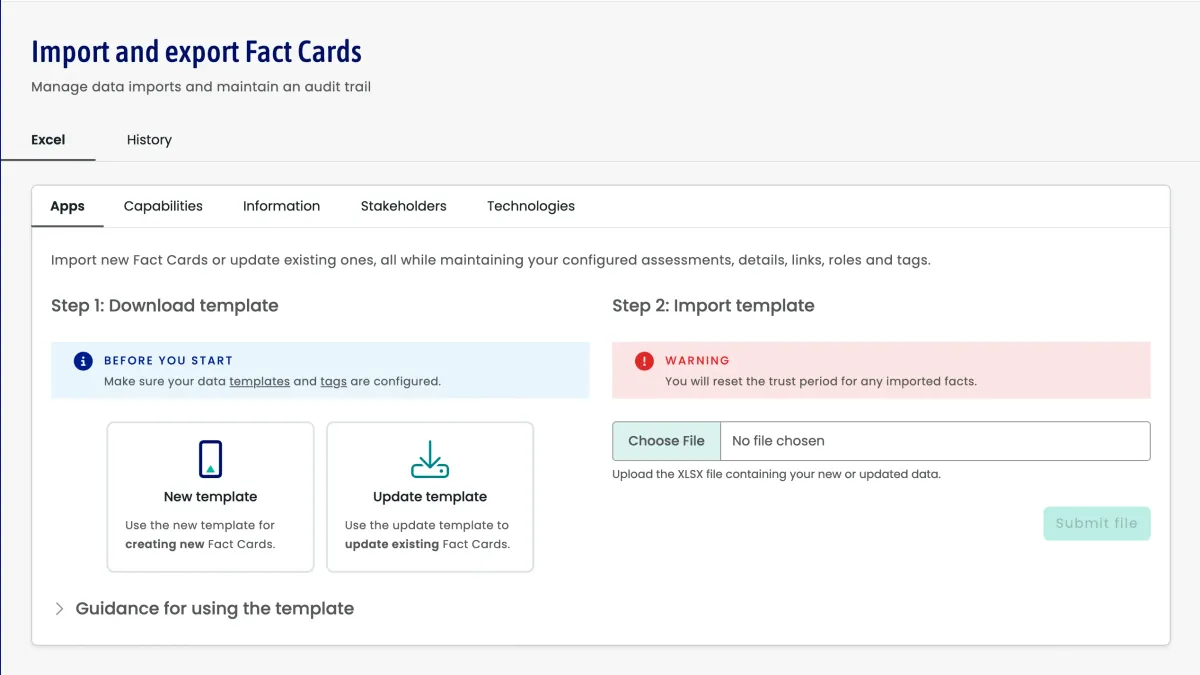
Improved Topics import

Improved Topics import is more user friendly and adds capabilities to fine tune data import.

Illustration in article content

What is new

  1. Create/update: Creates new or updates existing Fact Cards

  2. Archive: Archives existing Fact Cards

  3. Purge: Permanently deletes existing Fact Cards

  4. Skip: Ignores rows during import

  5. Add group only: Adds to groups without updating other data

  6. Remove group only: Removes from groups without updating other data

  7. All data: Updates all Fact Card data (for multi-groupable types)

Where you will see this

Data import capabilities:

  • Basic Data: Name, aliases, description

  • Groups: Single and multi-group assignments

  • Hierarchical Groups: Support for nested group structures (up to 5 levels)

  • Assessments: Scale values and numeric responses

  • Tags: Multiple tag assignments with automatic creation

  • Relationships: Parent-child relationships and partnerships

  • Detail Answers: Fact template responses with type validation

Validation system

  • Column Headers: Automatic detection and validation

  • Data Integrity: Required field validation and type checking

  • Import Handler Rules: Validation of handler combinations

  • Reference Validation: Ensures referenced entities exist

Error handling

  • Row-level Errors: Specific error messages with row numbers

  • Validation Errors: Clear descriptions of data issues

  • Reference Errors: Missing parent, group, or template errors

  • Import Summary: Counts of created and updated records

See the Import Data User Guide (https://help.colloquial.io/article/42-import-data) for further details.


by Chris Haskett
Updates

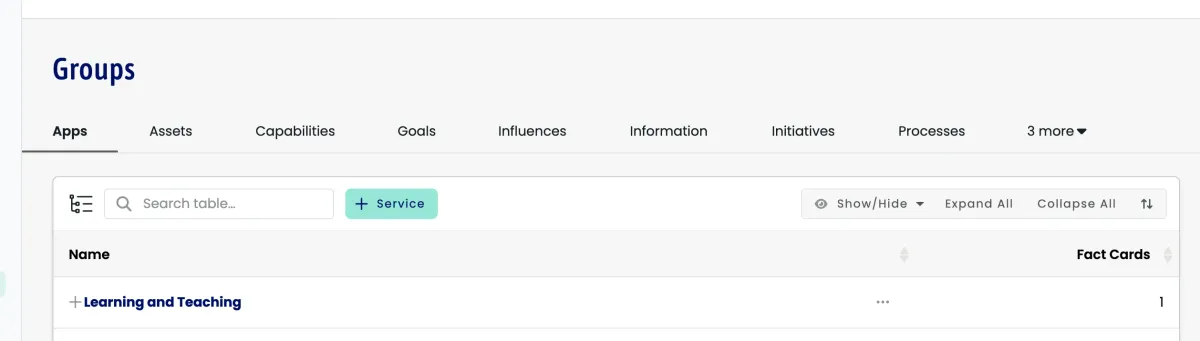
Improved tab navigation with overflow support

Tab groups handle cases where there are more tabs than fit in the available space.

Illustration in article content

What is new

  • Smart Overflow: When you have many tabs, excess tabs move into a dropdown menu

  • Flexible Layout: Tab bars adapt to different screen sizes and content lengths

  • Better Navigation: Access all tabs easily, even with large numbers of options

  • Consistent Experience: Tab positions stay stable when switching between tabs

Where you will see this

  • Settings Groups: Navigate between configuration types with quick access through the overflow menu

  • All Tab Interfaces: Screens with multiple tabs handle overflow consistently

Benefits

  • Improved Usability: No cramped or cut-off tabs on smaller screens

  • Better Organization: Keep the workspace clean while retaining access to all functionality

  • Future-Ready: Add more tab options without cluttering the interface

This helps complex workflows that rely on many tab views, especially for power users managing extensive configurations or datasets.


by Chris Haskett
Updates

Upgraded to Ruby 3.3

The platform is upgraded to Ruby 3.3 for performance and security improvements.

What is new

Ruby 3.3 improvements that benefit users:

  • Performance boost: Up to 15% faster response times across the platform

  • Enhanced security: Latest security patches and vulnerability fixes

  • Memory optimisation: Reduced memory usage for better scalability

  • Improved garbage collection: More efficient memory management

Benefits for users

  • Faster page loads when navigating between fact cards and dashboards

  • Better reliability during peak usage

  • Improved search performance

  • Enhanced API responsiveness for connected systems

Technical highlights

  • Updated Ruby runtime from 3.2 to 3.3.1

  • Compatibility testing across platform features

  • Performance benchmarking

  • Security audit to validate dependencies

Seamless transition

The upgrade was completed with zero downtime during a scheduled maintenance window. Existing functionality is unchanged; users should see improved performance without action on their part.