Configure data quality faster, with clearer language
We've reorganised how you set the data quality bar for each fact, so it's quicker to find, easier to read, and easier to explain to teammates.
One drawer for everything
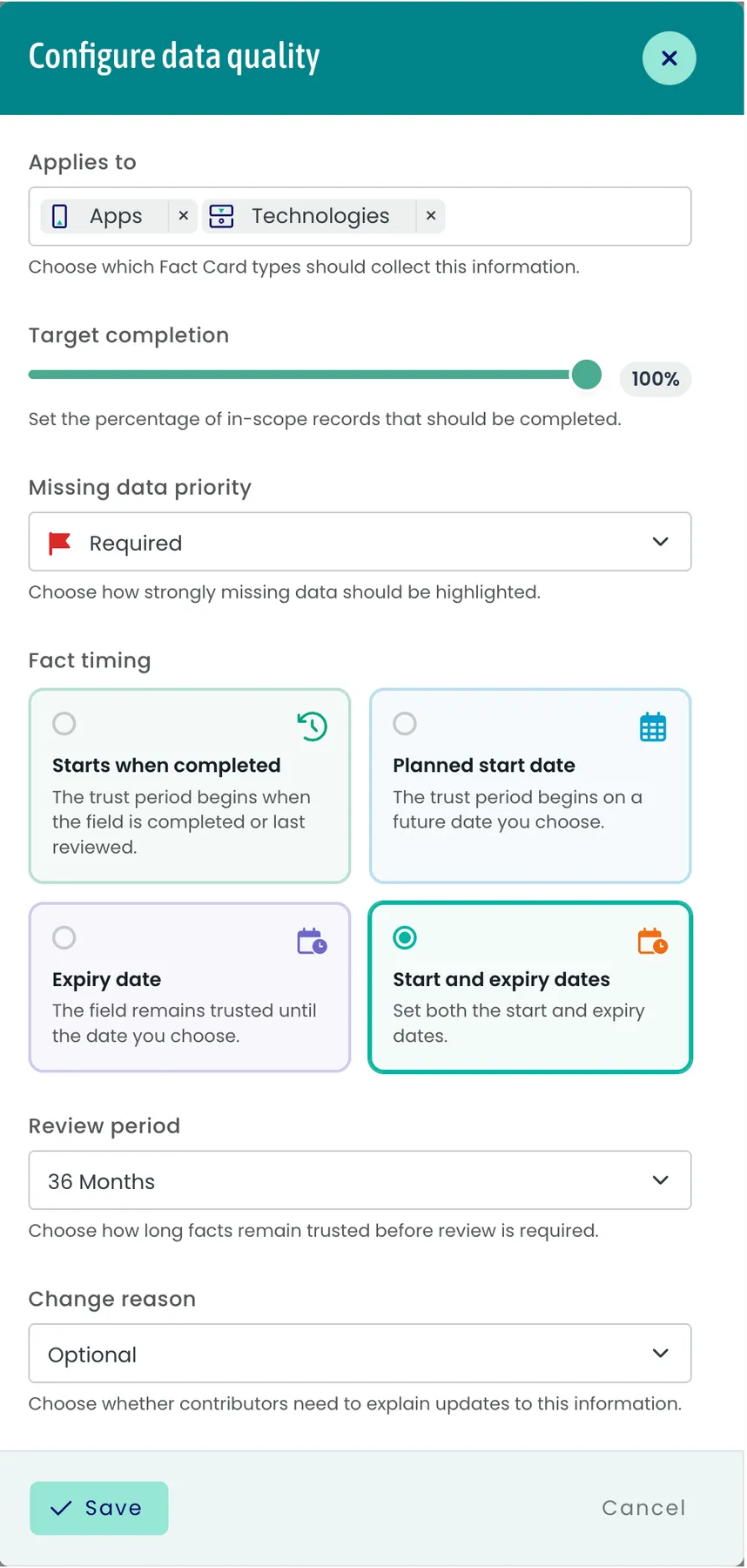
From any Insight or template page, click Adjust on the data quality card to open the Configure data quality drawer. Every policy field - scope, target completion, missing-data priority, review period, change reason, and fact lifecycle - now lives in one place.
Fact lifecycle as visual cards
The lifecycle picker is now a 2×2 grid of cards: Starts when completed, Planned start date, Expiry date, Start and expiry dates. Each card shows an icon, title, and short description, so the choice is obvious at a glance.
Plain-English labels and help text
We've revisited the wording across the drawer:
Applies to - choose which Fact Card types should collect this information.
Target completion - set the percentage of in-scope records that should be completed.
Missing data priority - choose how strongly missing data should be highlighted.
Review period - choose how long facts remain trusted before review is required.
Change reason - choose whether contributors need to explain updates to this information. Options are now Not required, Optional, and Mandatory (coming soon).
Where to look: Settings → Templates → any fact template → "Adjust", or the data quality card on any Insight page.