
Paste a table to create Fact Cards and Groups
- Paste a table straight from a document or spreadsheet
- Choose which column becomes which field
- Rows that already exist are flagged and skipped
- Start a name with an arrow or dash to nest it under the row above
Most of what people want to load into Colloquial already exists in a table somewhere. Until now getting it in meant downloading a template, rearranging columns to match it, and uploading the result.
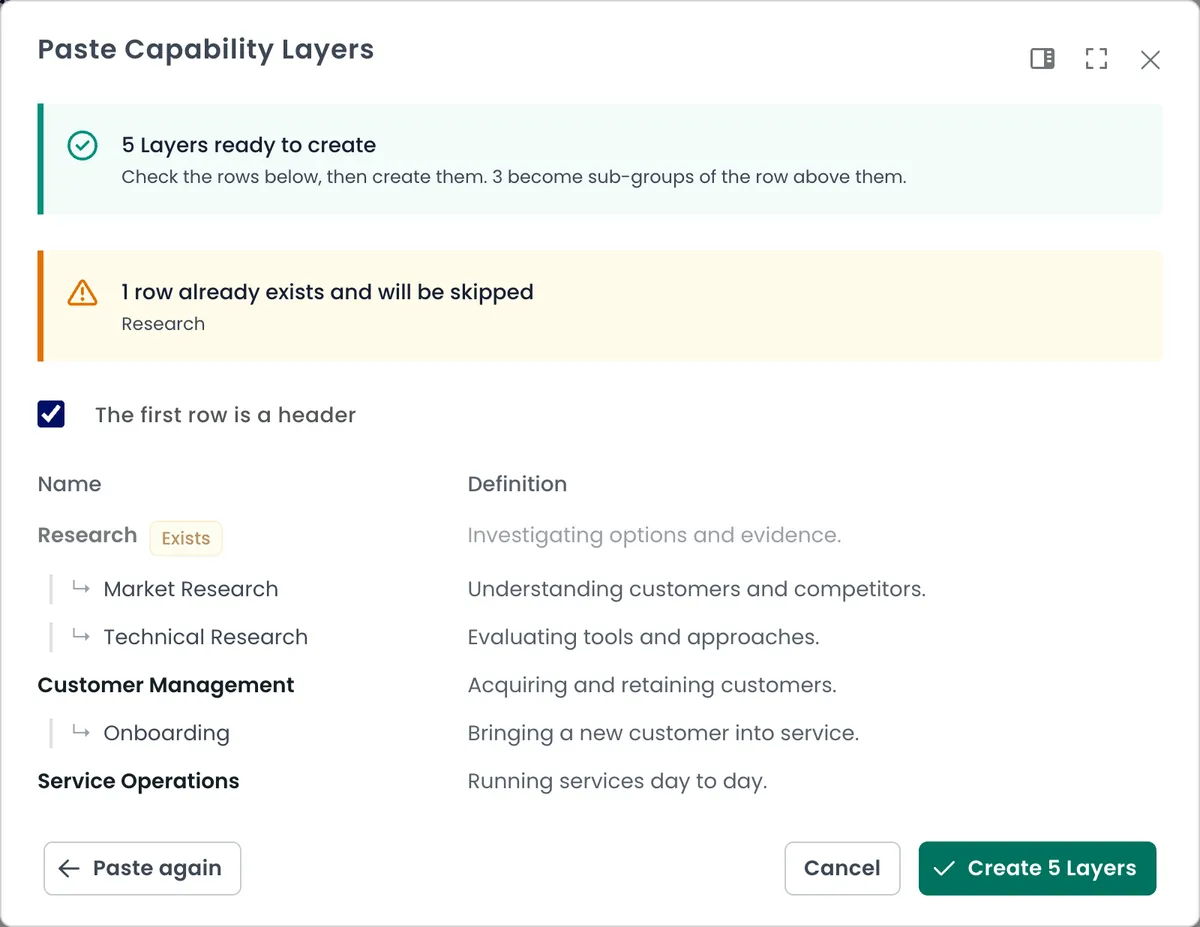
Now you paste. Markdown tables, spreadsheet ranges and indented bullet lists all work, and you say which column means what rather than bending your table to fit ours.
The preview tells you what it read before anything is created, including the count, so a mangled paste is caught while it is still free to fix.
Rows matching something already in the workspace are marked Exists and left alone, so pasting an updated copy of the same table adds only what is new.
Groups can be nested in the paste itself: prefix a name with an arrow or a dash and it becomes a sub-group of the row above. An indented bullet list nests the same way.
If no column is set as the name, it says so rather than creating a set of blank records.