
New guide wizard launched
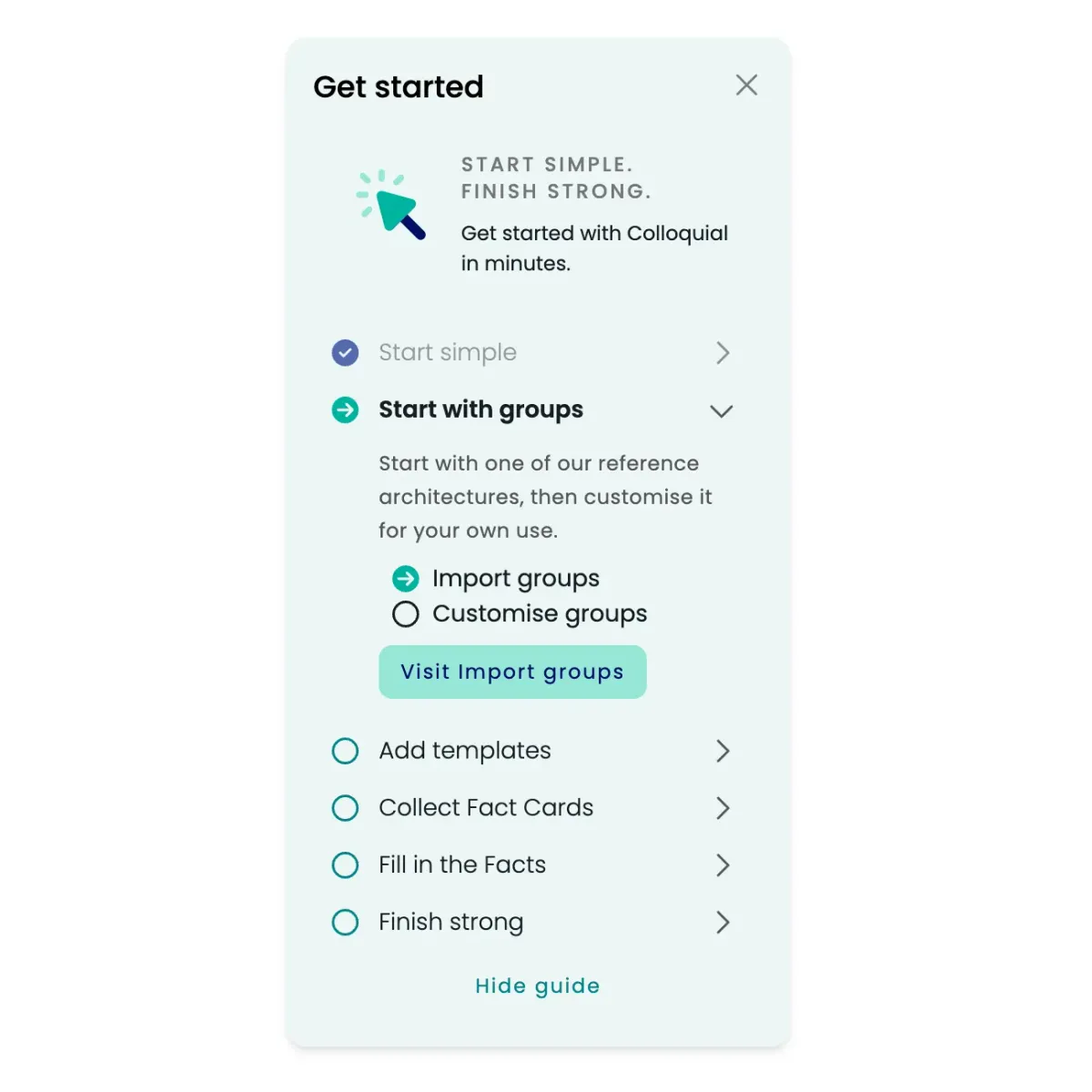
A guide wizard helps new users get started with Colloquial quickly and confidently.
What is new
The guide wizard provides step-by-step assistance for:
Initial setup: Configure your workspace and preferences
First fact cards: Create your initial applications and technologies
Team collaboration: Invite colleagues and set up permissions
Best practices: Learn proven approaches for enterprise architecture documentation
Integration setup: Connect with your existing tools and workflows
Benefits for new users
Faster onboarding: Reduce time to value from days to hours
Confidence building: Clear guidance prevents common setup mistakes
Structured approach: Follow proven methodologies from day one
Interactive learning: Hands-on experience with real examples
Progress tracking: See completion status and next recommended steps
How it works
When you first log in, the guide wizard can appear. You can:
Use the rocket icon in the bottom left to launch at any time
Follow the complete guided tour for comprehensive setup
Skip to specific sections based on immediate needs
Return to the wizard from the help menu
Access contextual tips throughout your journey
Perfect for teams
The wizard is especially valuable for new team members, pilot projects, enterprise rollouts, and self-service adoption.
This makes Colloquial more accessible and helps every user get productive from day one.